> For the complete documentation index, see [llms.txt](https://wiki.gen6.life/llms.txt). Markdown versions of documentation pages are available by appending `.md` to page URLs; this page is available as [Markdown](https://wiki.gen6.life/education/the-gen6-privacy-guide.md).
# The Gen6 Privacy Guide
Verify. Sign. Communicate End-to-End.
### Gen6's Commitment to Privacy
At **Gen6**, privacy isn't just a core value - it's the foundation upon which our ecosystem is built. As we strive to empower individuals with digital sovereignty, we recognize that privacy is a fundamental right that must be protected. In today's increasingly interconnected world, where personal data is often exploited, our mission is to create a secure and safe space where users can control their own information. We are not only committed to maintaining the highest standards of privacy within our own platform, but we are also actively seeking strategic partnerships with like-minded privacy-focused projects.
By collaborating with other privacy-driven initiatives, we aim to strengthen the ecosystem, ensuring that all participants have access to secure, decentralized tools that protect their data and preserve their freedom in the digital age.
### **Where to start? Your First Gen6 Privacy Week**
Don't try to switch everything at once — that's how people burn out and give up. Change these few things first; the rest can follow at your own pace.
1. Install a password manager (Bitwarden) and turn on app-based 2FA (FreeOTP Authenticator) instead of SMS.
2. Switch your browser to LibreWolf or Brave and your default search to Brave Search or Startpage.
3. Open an encrypted email account (Tuta or Proton) with your own custom domain, and start moving important accounts over.
4. Move one important conversation to NCrypt this week. The rest will follow.
5. Turn off non-essential notifications and review app permissions (location, mic, camera, contacts).
#### **Digital wellbeing and attention**
Privacy and digital wellbeing are the same fight. Every notification, autoplay, and default sync is both an attention hook and a data-collection surface. Stepping back protects your mind and your data at once — and many who leave Google, Facebook and similar platforms report more peace and independence on the other side.
* Turn off all notifications: keep only maximum 3 critical notifications from wife, children or parents.
* Set your phone to grayscale and remove addictive apps from the home screen. Friction breaks the reflex to open them.
* Keep the phone out of the bedroom; try a no-phone first and last hour of the day.
* Schedule regular detox windows — an evening, a day, a weekend — where you're fully offline.
* Practice digital minimalism: fewer apps, fewer accounts, fewer feeds. Each one you remove is one less thing harvesting you.
**Privacy habits that cost nothing**
The strongest tools won't help if your habits leak data around them. These cost no money and little effort.
* **Compartmentalize with aliases.** Use a separate email alias per service (SimpleLogin, Proton Pass, or Tuta aliases). A breach or data sale then can't link back to the real you.
* **Use app-based 2FA, never SMS.** SMS codes can be intercepted or SIM-swapped - and they hand over your phone number. Use FreeOTP.
* **Never reuse passwords.** One breach shouldn't unlock everything. Let your password manager generate unique ones.
* **Review permissions regularly.** Revoke location, microphone, camera and contacts access from apps that don't truly need them.
* **Lock down or step back from social media.** Tighten defaults, or leave the platforms that profit most from profiling you.
#### Understanding the need for privacy in the AI era
In the AI era, where personal data is constantly collected, analyzed, and leveraged by powerful algorithms, privacy has become more critical than ever. As AI technologies evolve, they can expose individuals to risks such as:
* **Unauthorized data usage**
* **The erosion of personal autonomy**
* **Deepfake-based fraud and scams**
* **Illicit and/or unwanted surveillance**
Understanding the need for privacy means recognizing that our data should remain under our control, ensuring that we can engage with technology without sacrificing our freedoms or security. Protecting privacy in this digital age is essential to maintain trust, safeguard rights, and foster a future where AI serves humanity without compromising individual freedoms.
#### Understanding the need for encryption
*End-to-end encryption protects the privacy of your data, puts control over how the data gets used into your hands, and is the best way we have to ensure private conversations remain private. Not enough companies use it as broadly as they should.* \~
#### What Gen6 Offers for Privacy
* **Real Seal Identity Verification** - A decentralized, blockchain-based identity system that puts users in control of their data, ensuring privacy and security without third-party involvement.
* **Real Seal for Content Verification** - A blockchain-powered solution for verifying digital content authenticity, helping to combat misinformation and ensuring the integrity of media.
* **NCrypt for Secure End-to-End Messaging** - An encrypted messaging platform that guarantees private, secure communication with end-to-end encryption and decentralized identity verification.
* User guides to privacy for Life of Gen6 - Comprehensive guides (such as this one) and education to help users protect their privacy and navigate the Gen6 ecosystem securely.
You can access these solutions from or through self-hosted instances.
By prioritizing control, security, and open-source transparency we aim to build a future where users have full sovereignty over their digital identities and communications, ensuring they can navigate the digital landscape with confidence and peace of mind.
*Privacy is the foundation for those who live the Life in Gen6.*
### Recommended systems for daily use
These systems and tools are used by many people in the Gen6 ecosystem for their security and privacy respecting qualities.
#### Mobile phones and OS
* Motorola (coming soon) or Pixel with Graphene OS -
* e/OS - de-Googled Android with its own app store and cloud; available pre-installed on Murena and Fairphone devices.
#### For installing apps on Mobile
* F-Droid open-source app store -
* Aurora Store de-Googled front-end to the Play Store -
#### Laptops and OS
* Most business grade laptops are fine (eg. Lenovo ThinkPads or Dell XPS)
* Avoid Intel AMT (vPro) and AMD DASH as they are basically hardware backdoors.
* Ubuntu, Linux Mint, Debian or Arch Linux.
* For the highest threat models: Tails (amnesic live OS) or Qubes OS (compartmentalization by design)
#### Run your local AI and preserve privacy
* GPT4All - (easy to use)
* LM Studio - (graphical, runs local models offline)
* Ollama - (for more advanced users, no graphical user interface)
#### Password Managers
* Bitwarden is easy to use and synchronizes between devices -
* KeepassX is local, can run offline -
#### Web browsers
* Librewolf to maximize privacy -
* Brave for decent privacy - [https://brave.com/](https://brave.com/download/)
* Tor Browser for maximum anonymity for sensitive browsing -
#### Email (replace Gmail)
Email was never designed to be private. A standard inbox feeds advertising profiles and, increasingly, AI training data. Move your inbox to an encrypted, zero-access provider — and use your own custom domain so you're never locked in.
* **Tuta** — (German, open-source, encrypts subject lines, contacts and calendar; post-quantum encryption; best value)
* **Proton Mail** — (Swiss, full ecosystem with VPN, Drive, Calendar and Pass; easiest Gmail-like experience)
* **Mailfence** — (Belgian, full productivity suite, supports standard IMAP/SMTP clients)
> Tip: True end-to-end encryption only applies when both sender and recipient use an encrypted provider (or a password-protected message). Even with encrypted email, metadata (who, when, how often) is still exposed unless you also use a VPN or Tor.
#### Private search (replace Google Search)
Your search history is the richest profile anyone can build about you. These engines don't log queries to your identity or bend results to a profile.
* **Brave Search** — (independent index, doesn't rely on Google or Bing)
* **Startpage** — (Google-quality results with your identity stripped; EU-based)
* **DuckDuckGo** — (simplest switch, good extra privacy tooling)
* **Mojeek** — (UK, fully independent crawler and index)
* **SearXNG** — (open-source, self-hostable metasearch — full control)
#### VPN
A VPN hides your traffic from your network and ISP and changes your apparent location. It does not make you anonymous on its own — it shifts trust to the provider, so the provider matters more than the feature. Choose audited, no-logs providers that accept anonymous/cash payment.
* **AirVPN** - (flat pricing, accepts cash; audited, long trusted community)
* **Njalla** - (Swedish anonymous provider, established by The Pirate Bay co-founder Peter Sunde. Trusted.)
* **Proton VPN** - (open-source apps, free tier available, bundled with Proton)
* **IVPN** - (alternative minimal VPN provider)
#### Maps, navigation
* **Organic Maps** — (offline, open-source, no tracking) and **OsmAnd** —
#### YouTube Frontend
* **NewPipe** — (privacy-friendly YouTube front-end, no Google account, no ads, install via F-Droid)
#### Network-level protection (DNS and ad-blocking)
* **NextDNS** — (configurable encrypted DNS with tracker/ad blocking, per-device)
* **Pi-hole** — or **AdGuard Home** — (network-wide blocking on your own hardware)
### Defending your own site from AI crawlers (for self-hosters and operators)
If you run a website, blog, Git forge or self-hosted Gen6 instance, aggressive AI scrapers can hammer your server, ignore robots.txt, and harvest your content for training data. These open-source tools push back. They are meant for the people running infrastructure, not for everyday browsing.
* **Anubis** — (MIT-licensed; sits between your reverse proxy and app server and puts a lightweight proof-of-work challenge in front of unverified clients, blocking scrapers with minimal friction for real users. The gentlest, most legitimate option — start here.)
* **Nepenthes** — (a "tarpit" that lures crawlers into an infinite maze of nonsense pages with no exit links, wasting their time and resources and optionally feeding them garbage to poison training data. Its own author labels it deliberately aggressive software — deploy only if you understand the trade-offs.)
* **Iocaine** — (inspired by Nepenthes; focuses on data poisoning, feeding crawlers generated garbage text. Reported to cut bot traffic dramatically.)
> Trade-offs to weigh: tarpits consume your own server resources and bandwidth, can catch legitimate search-engine crawlers (hurting your SEO/visibility), and sophisticated scrapers may learn to detect and skip them. Anubis-style gating is usually the safer default; reserve tarpits for cases where you genuinely want to fight back and accept the cost. Anubis can also be configured to hand unverified bots off to a tarpit instead of simply blocking them.
### Important notice on phone numbers and ID requirements
Anything that requires a phone number or even worst, a government issued ID, will push you towards a dystopian future and it is better to avoid such services. People who are out of Google, Facebook and similar anti-social sites, privacy exploitative system are more happy, more content.
Be cautious of any service that asks for your phone number (and even more cautious of one that demands a government-issued ID). Each small surrender of privacy makes it easier to normalize a world of constant monitoring, pushing us towards a dystopian future. Choose services that respect your freedom instead of quietly training you to give it away. Many who step back from Google, Facebook and similar privacy-exploitive platforms find something surprising on the other side: more peace, more independence and a deeper sense of contentment.
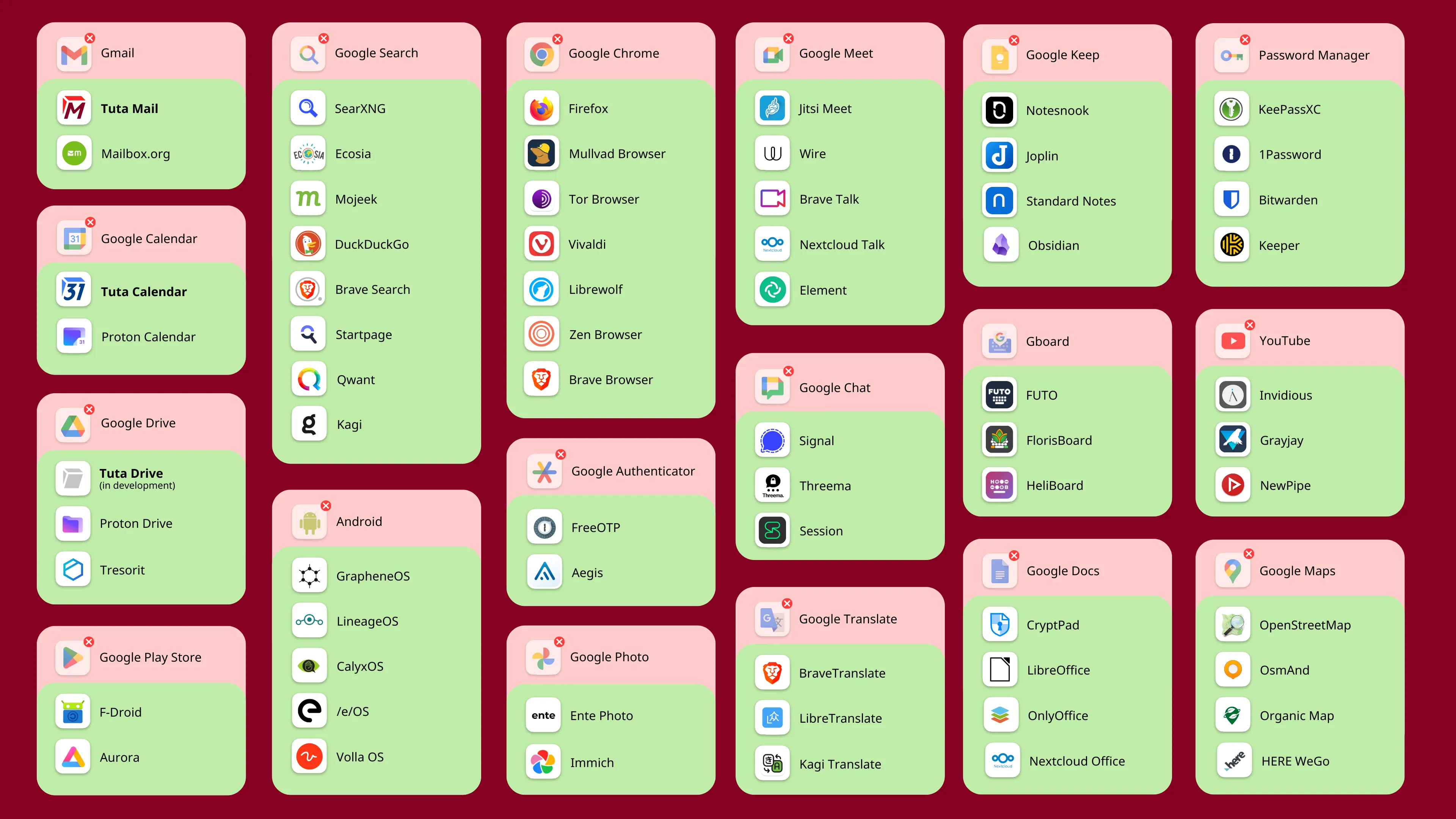
### The De-Google List
Source:
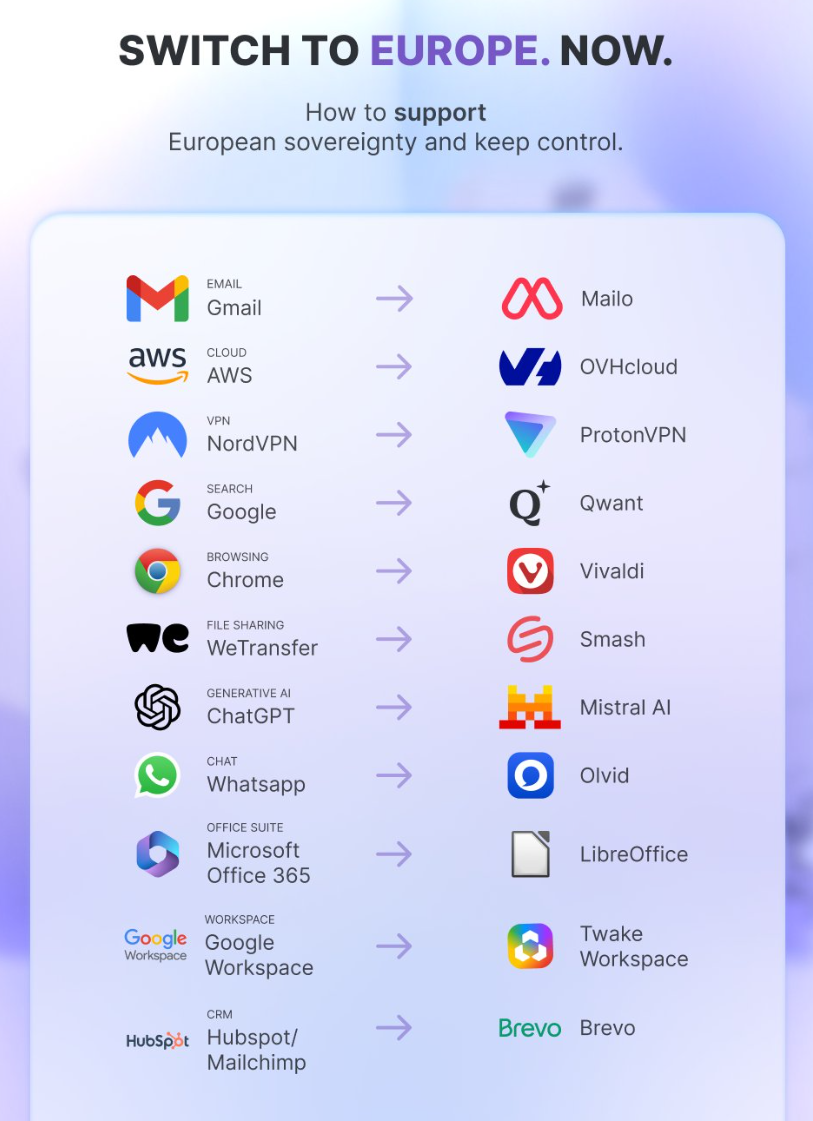
### Championing the shift from Big Tech to privacy-first providers