> For the complete documentation index, see [llms.txt](https://wiki.gen6.life/llms.txt). Markdown versions of documentation pages are available by appending `.md` to page URLs; this page is available as [Markdown](https://wiki.gen6.life/education/learn-how-gen6-works/gen6-app-user-guides/ncrypt-encrypted-messaging.md).
# NCrypt - Encrypted Messaging
NCrypt is a secure, decentralized Web3 messaging platform designed to provide private, tamper-\
proof, and verifiable communication on the blockchain. By leveraging end-to-end encryption combined with on-chain key management, NCrypt ensures that messages remain confidential and protected from unauthorized access.\
\
All encryption operations are performed locally in the user’s browser. Public encryption keys are\
published on-chain, while private keys remain fully under user control. This architecture eliminates\
centralized intermediaries and significantly reduces the risks associated with traditional messaging platforms.\
\
NCrypt also supports optional read-proof verification, enabling cryptographic confirmation that a\
message has been opened. This makes NCrypt suitable for both everyday private communication\
and use cases requiring verifiable message delivery and reading.
**To use NCrypt, a minimum deposit of 1 GSX is required**, granting access to encrypted messaging features and supporting the platform's decentralized infrastructure. The system utilizes the postman pallet, G6 MW API, and stores data on IPFS or custom solutions.
### Access & Authentication
To use NCrypt, users must authenticate before accessing encrypted messaging features.\
\
**Supported authentication methods:**\
\
• Wallet-based authentication (recommended)\
• Google authentication (non-custodial, optional)\
\
Regardless of the chosen method, encryption keys are generated and managed entirely on the\
client side, preserving privacy and user ownership.
### Encryption Key Setup
Before sending or receiving messages, users must configure their encryption keys.
#### Generate Encryption Keys
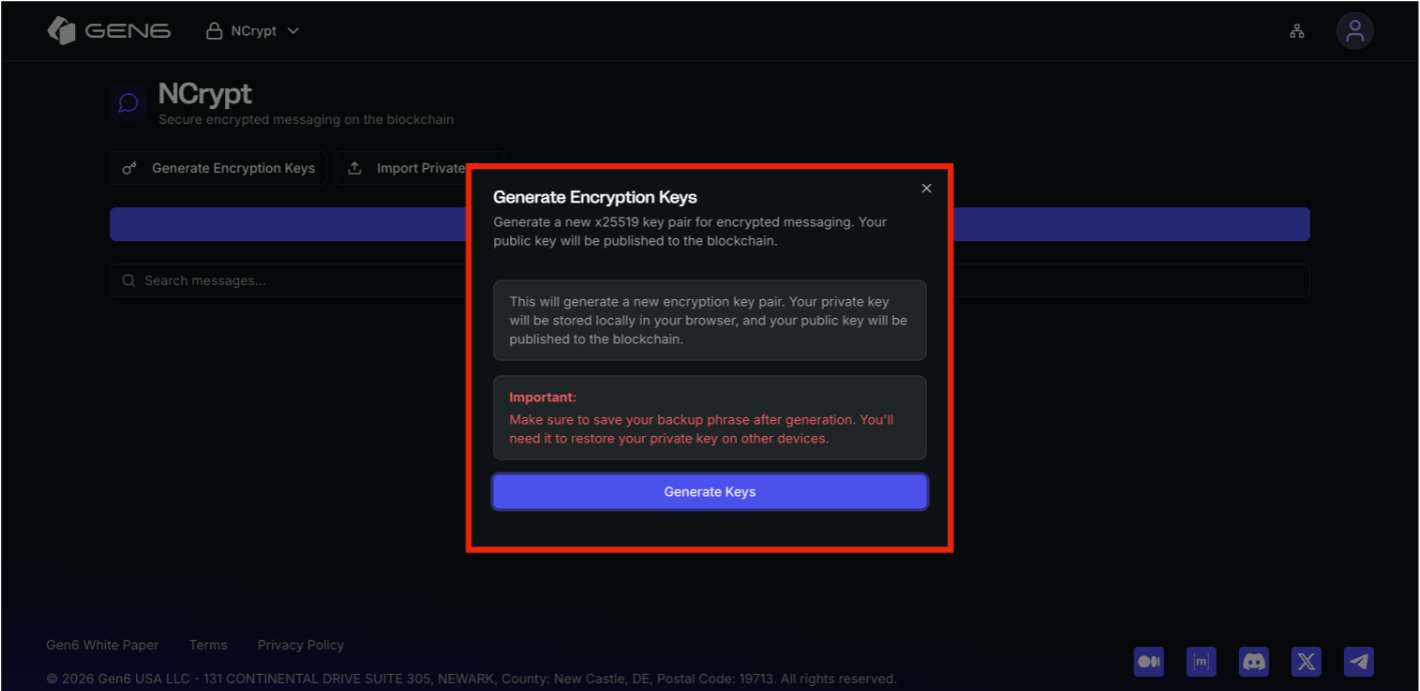
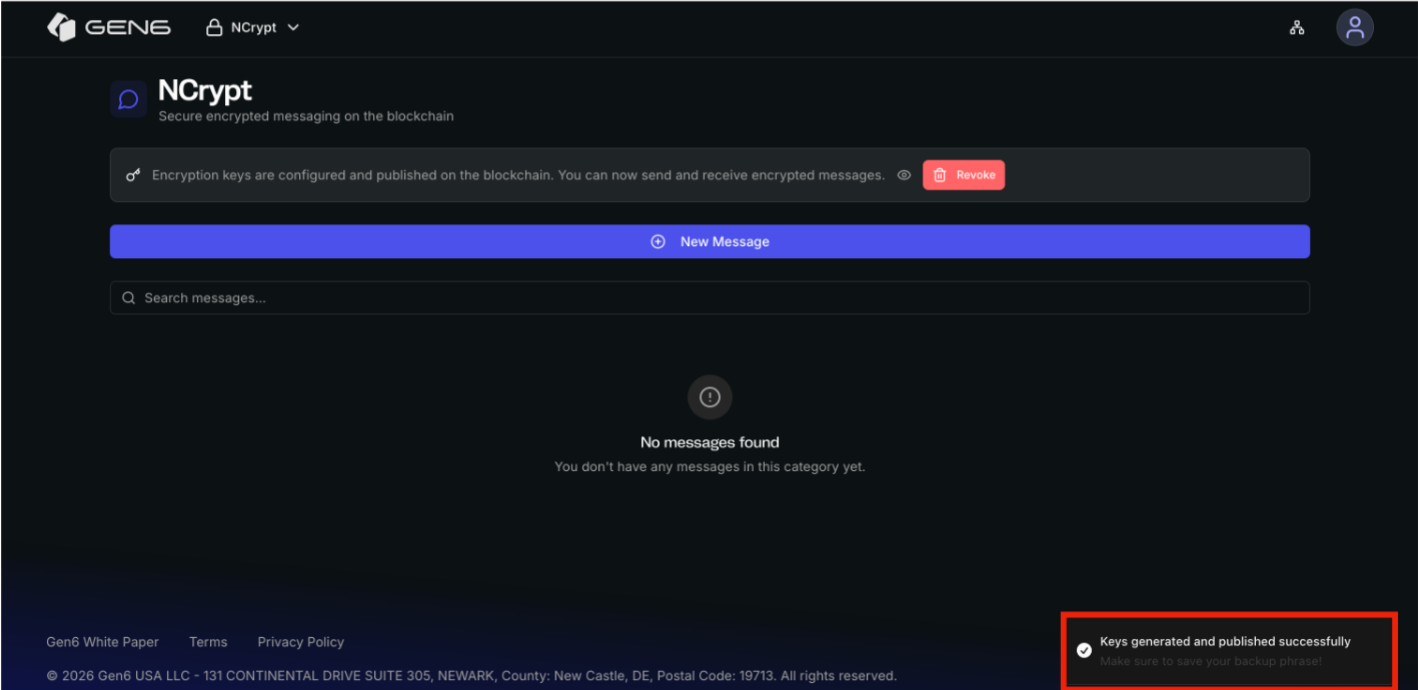
NCrypt allows users to generate a secure x25519 encryption key pair directly within the application.\
\
• The private key is stored locally in the user’s browser\
• The public key is published on the blockchain\
• A backup phrase is provided and should be stored securely\
\
This key pair is required to encrypt outgoing messages and decrypt incoming messages.
#### Viewing Encryption Keys
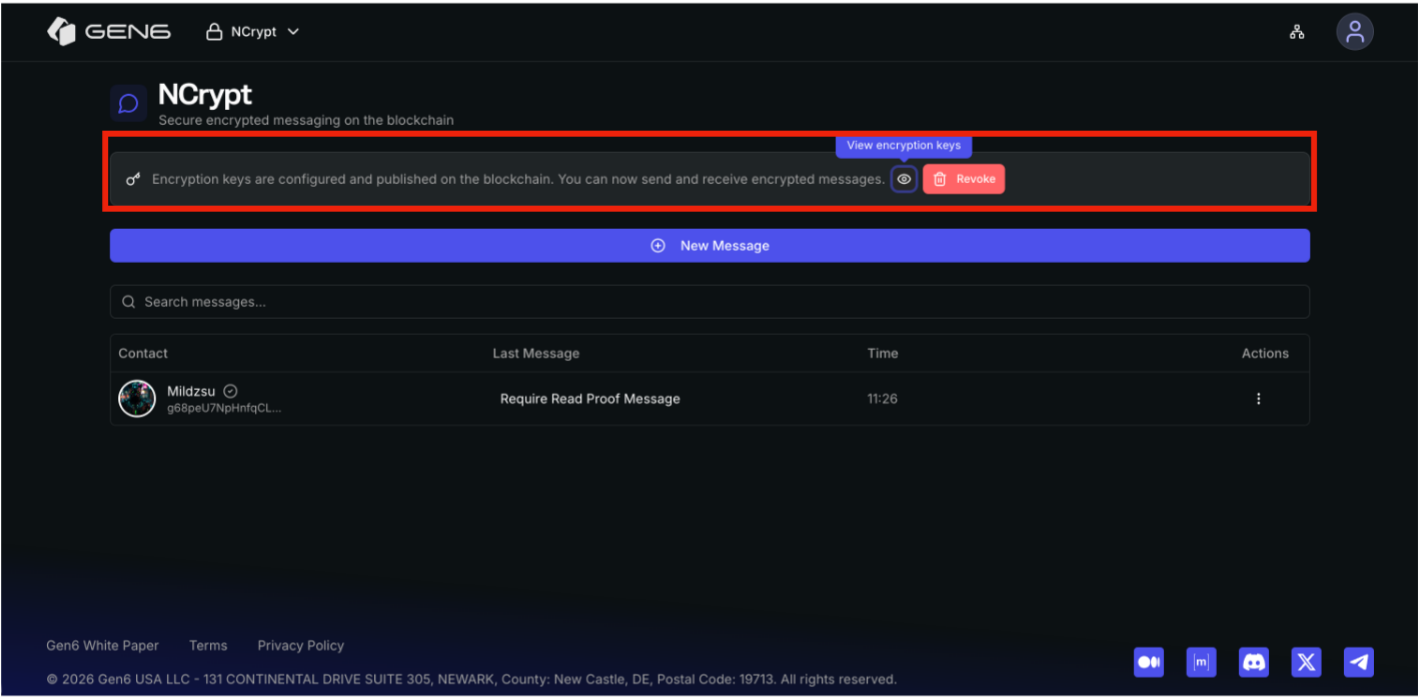
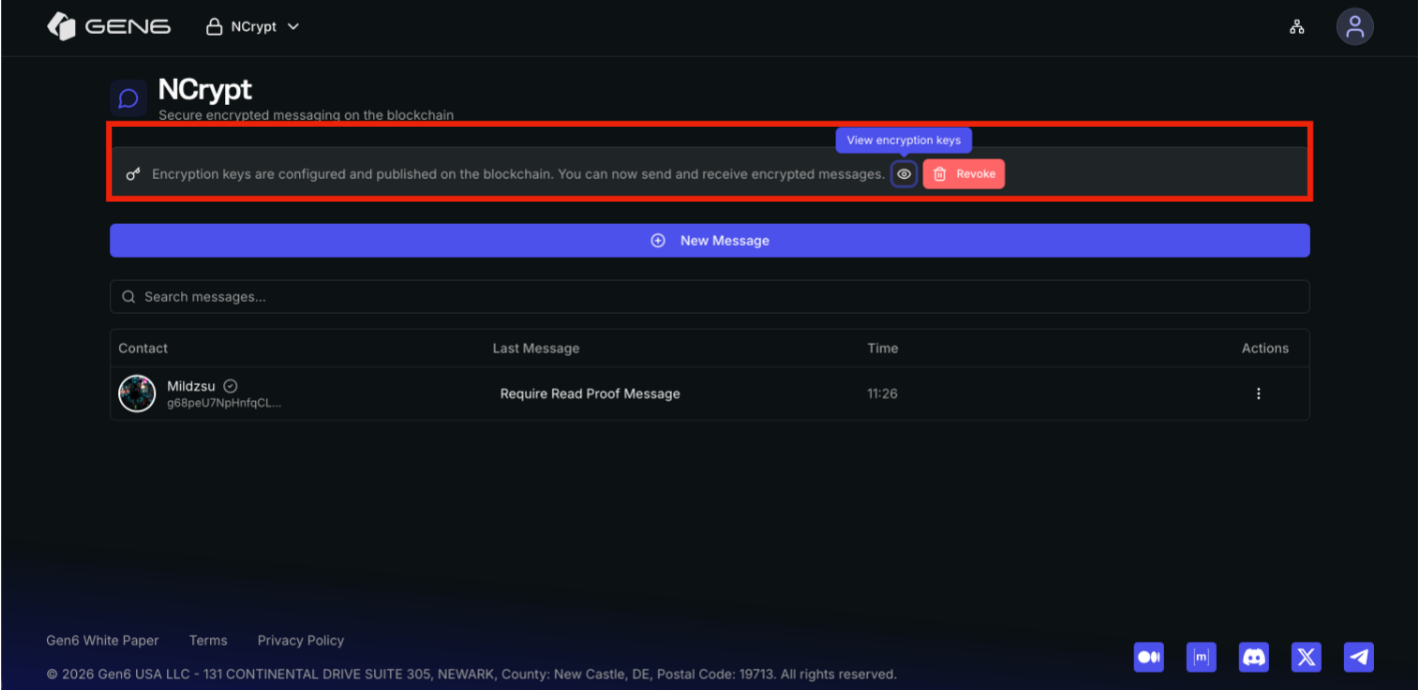
After keys are generated, users can view their encryption keys at any time.\
\
**From the NCrypt interface:**\
\
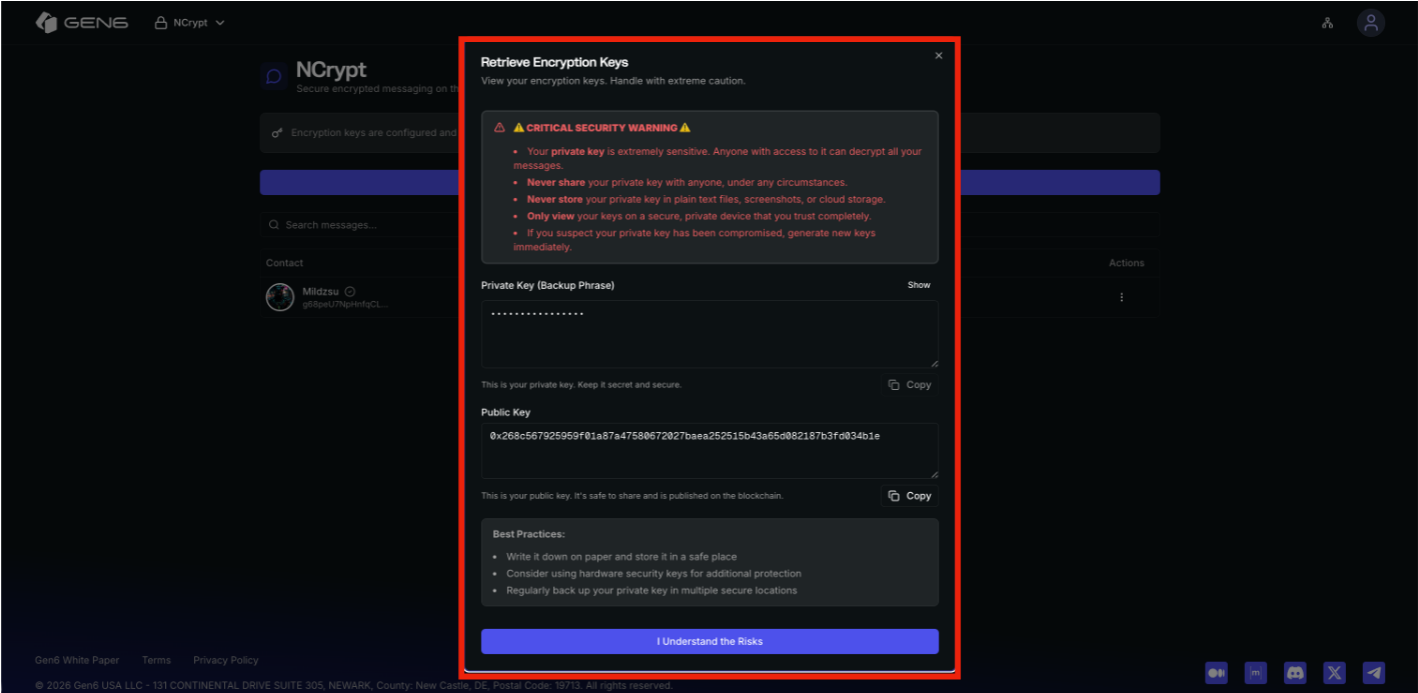
• Click View encryption keys\
• A secure modal opens displaying:\
• Private key (backup phrase) – hidden by default\
• Public key – safe to share and published on-chain\
\
Security warnings are shown to ensure safe handling of sensitive data.
#### Revoking Encryption Keys
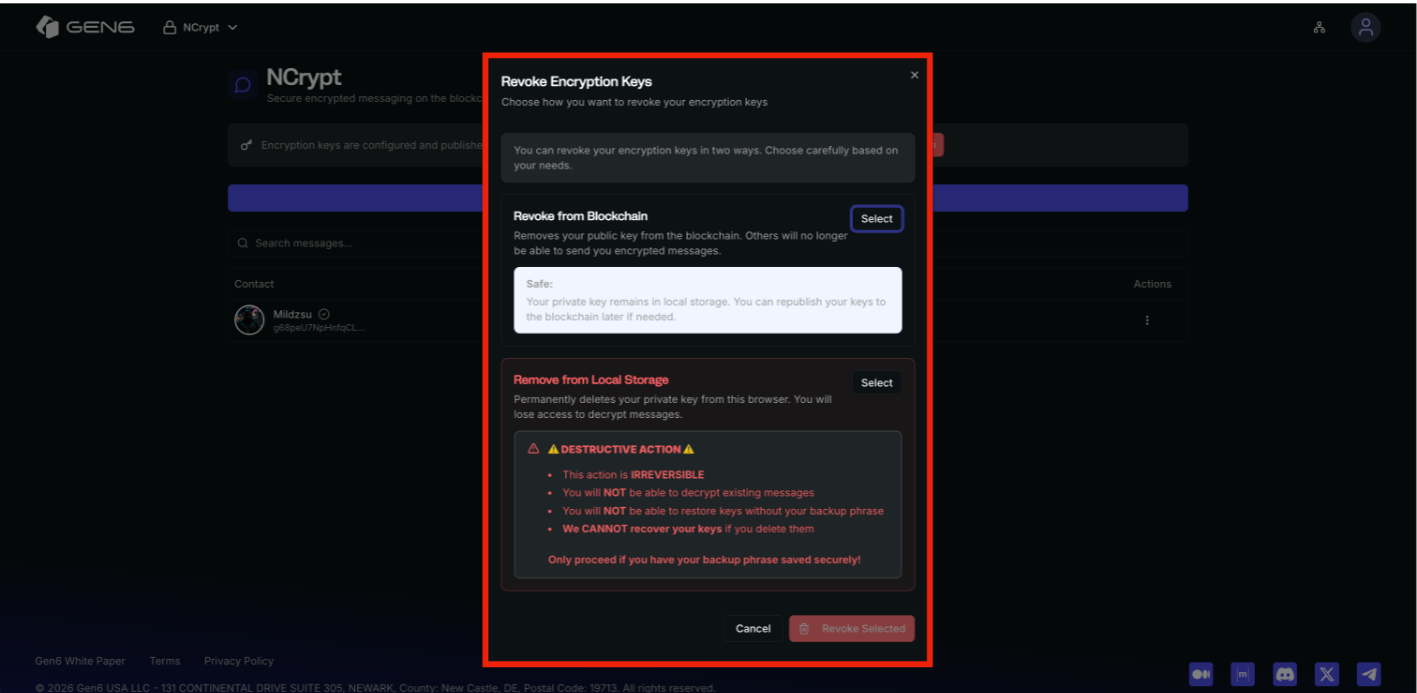
**NCrypt allows users to revoke encryption keys in two different ways:**\
\
**Revoke from Blockchain**\
\
• Removes the public key from the blockchain\
• Prevents others from sending new encrypted messages\
• Private key remains stored locally\
• Keys can be republished later if needed\
\
**Remove from Local Storage**\
\
• Permanently deletes the private key from the browser\
• Existing encrypted messages can no longer be decrypted\
• This action is irreversible\
• Backup phrase is required for recovery
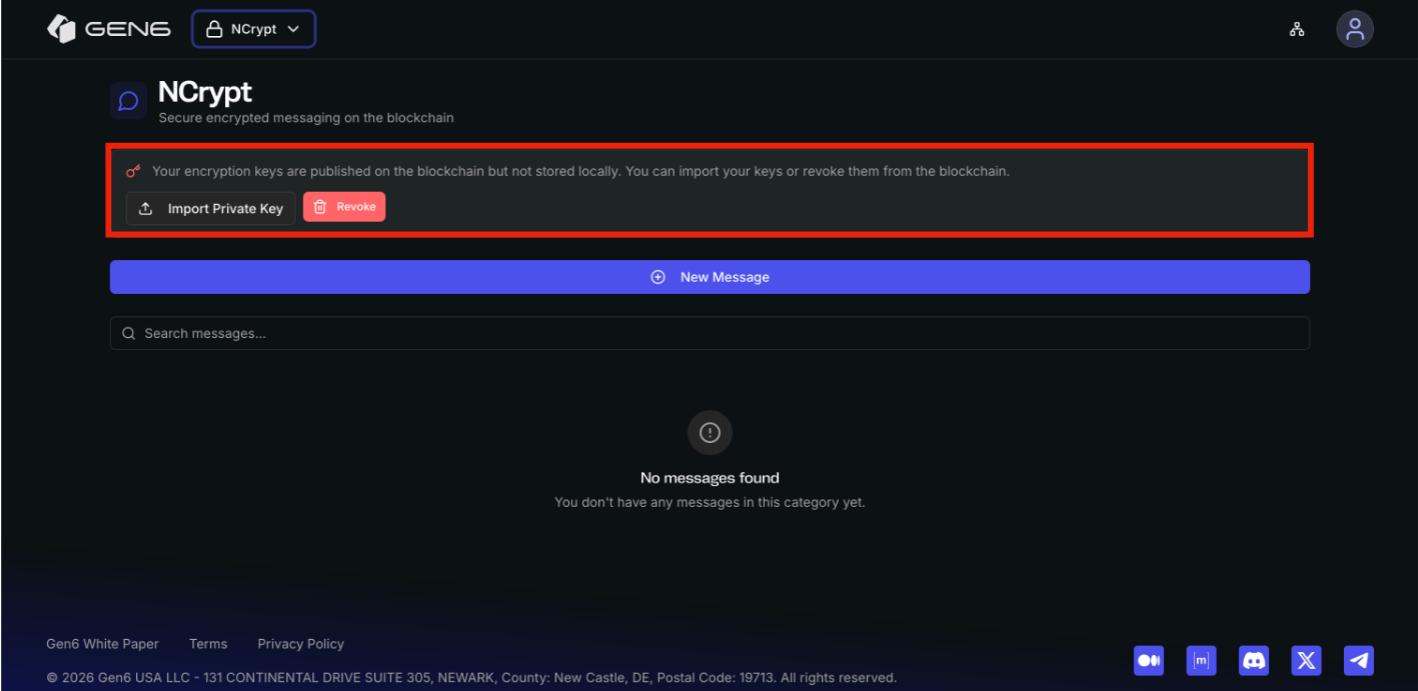
#### Import Encryption Keys
Users who already possess a backup phrase can import their existing encryption keys. This enables seamless access across devices while maintaining full cryptographic control.
### Encrypted Messaging
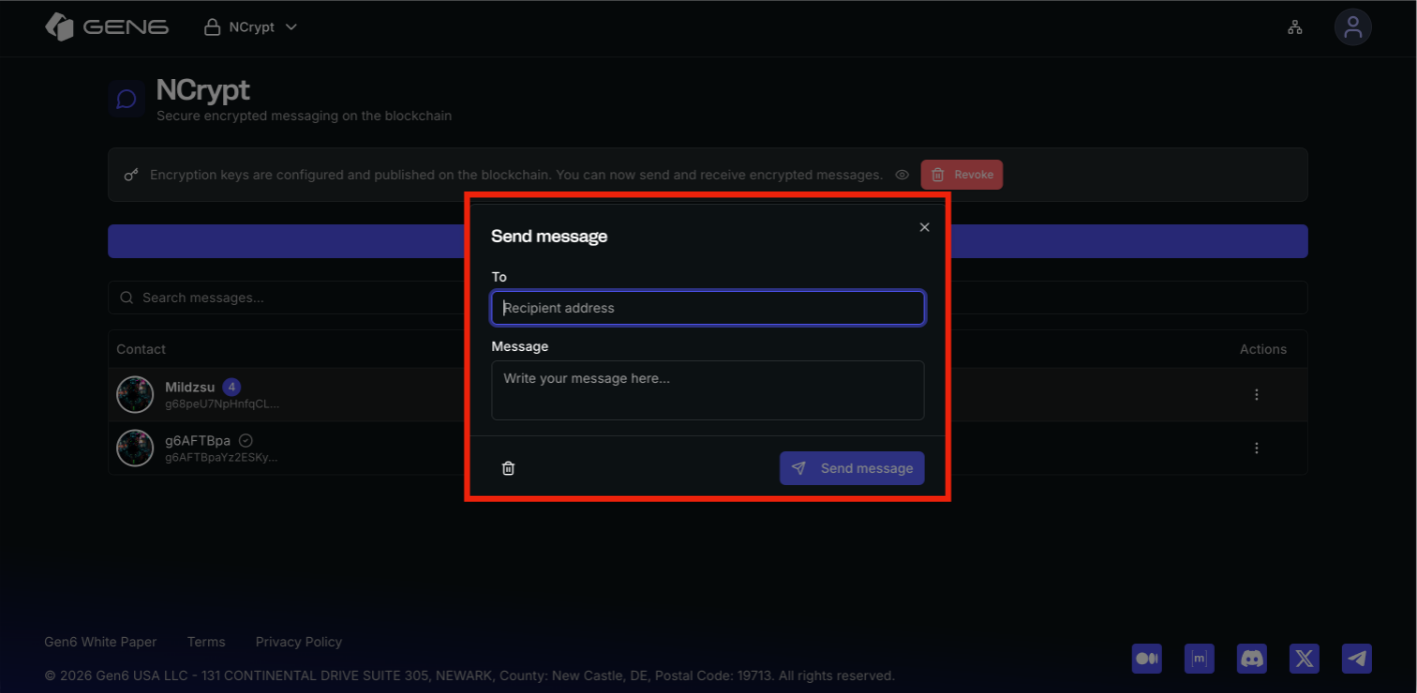
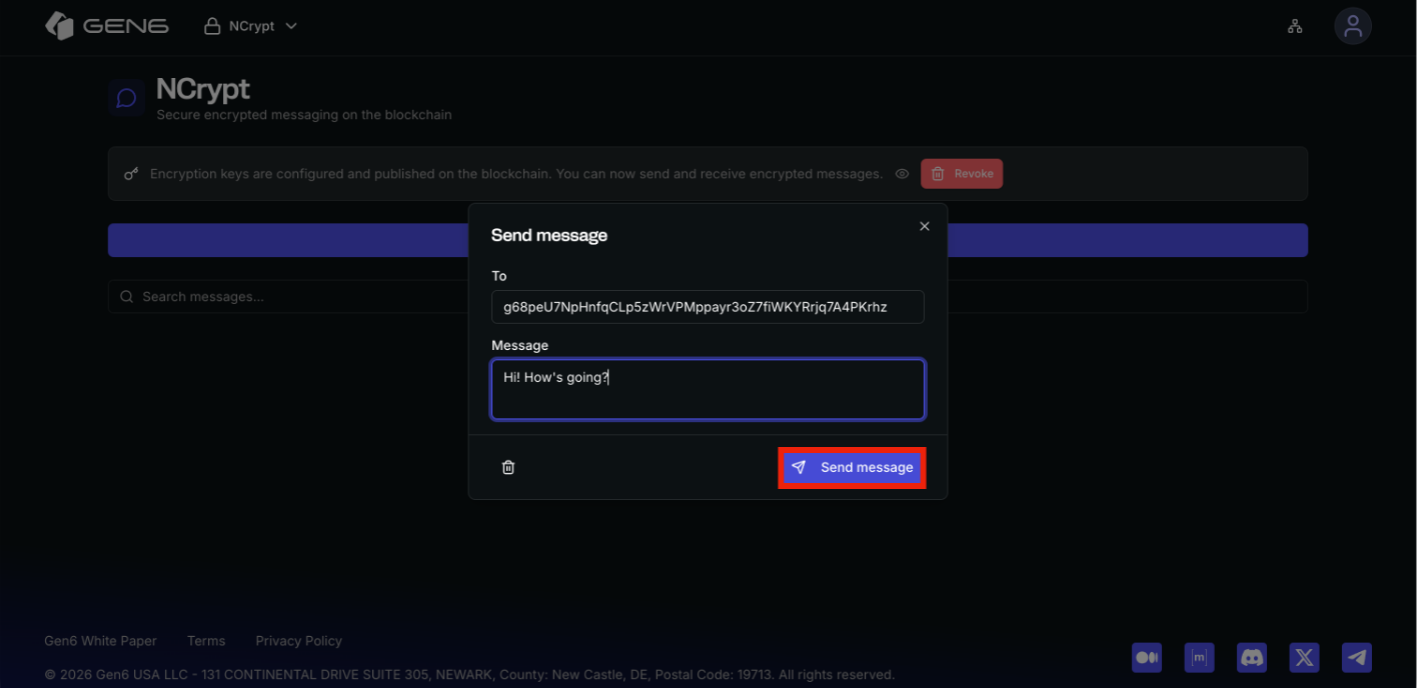
Once encryption keys are configured, users can start secure communication.\
\
**To send a message:**\
\
• Create a new message\
• Specify the recipient’s public address\
• Compose the message
All messages are encrypted locally before transmission, ensuring that message content is never\
exposed in plaintext.
### Read Proof Messages
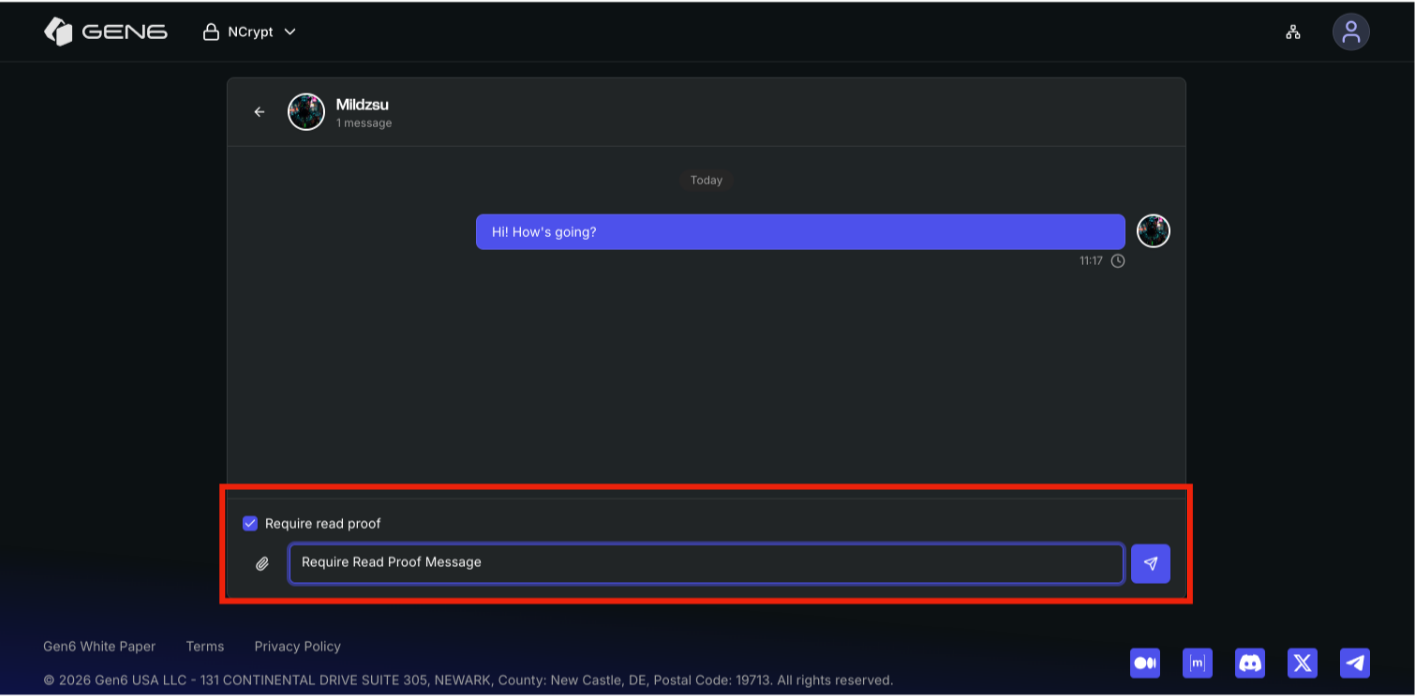
NCrypt supports read-proof–enabled messages, providing cryptographic assurance that a message has been opened.\
\
• Senders can enable read-proof protection per message\
• Recipients unlock the message by signing on-chain\
• The read event is verifiable and tamper-proof\
\
This feature enables optionally undisputable communication without revealing message content publicly.
### Key Lifecycle Management
NCrypt provides full control over encryption keys, allowing users to manage their cryptographic identity over time. Public keys can be published or revoked on-chain, while private keys remain under exclusive user control. This ensures long-term security and flexibility without reliance on centralized key storage.